How Sittership works

Two sides, one trusted workflow. Families post needs once. Approved sitters accept. First to accept gets booked.

For households

  1. 1Create your household and invite co-parents.
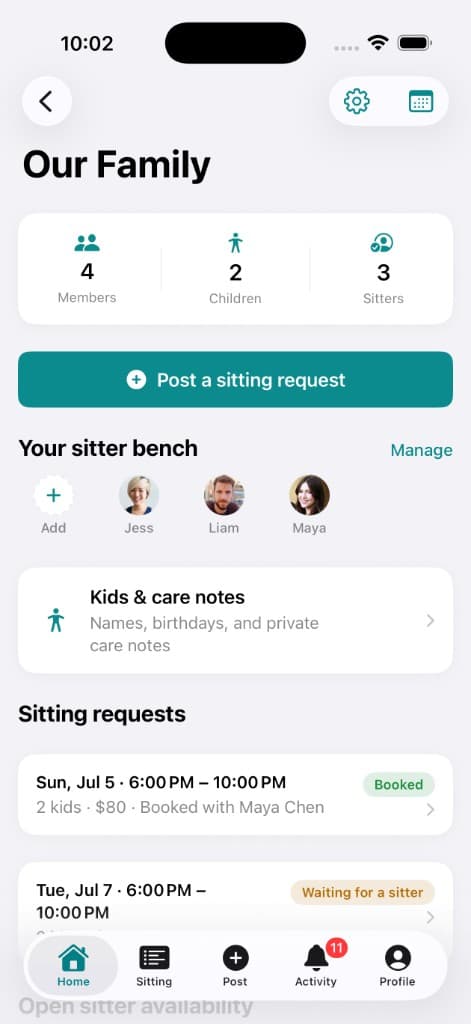
  2. 2Build your sitter bench with only people you trust — mark favorites and your Village.
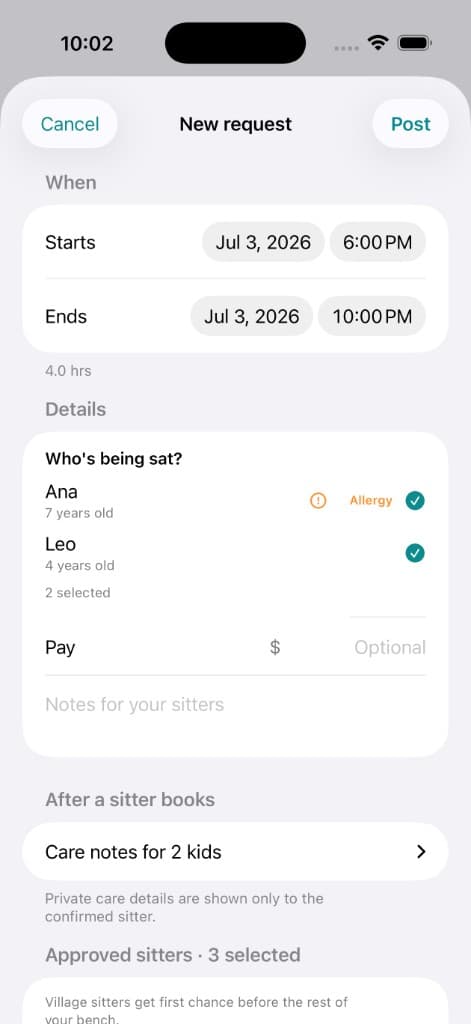
  3. 3Post a need with date, time, children, pay, and notes. Notify everyone, a preferred sitter first, or your Village first.
  4. 4Get booked when the first approved sitter accepts. Private details unlock only for them.

For sitters

  1. 1Accept a household invitation.
  2. 2See open requests from households you are approved for.
  3. 3Accept a request or post your own availability window.
  4. 4Message the family, share updates during the sit, and send a recap after.
  5. 5Optional: upgrade to Sitter Pro for a verified sitter card, unlimited warm intros, and more.

You choose how a need goes out

Every request uses one of four notification modes, so the right sitters hear first.

Notify all approved sitters

Everyone on your bench hears about the need at once. First to accept gets booked.

Offer to a preferred sitter first

Your go-to sitter gets first dibs. If they don't respond in time, Sittership escalates to the rest of your bench automatically.

Ask your Village first

Your inner circle of Village sitters hears first, then the rest of the bench is escalated if no one accepts.

Collect interest, then choose

Sitters mark interest instead of instantly booking, and you pick who gets the sit.

Household home with sitter bench and posted needs
Post request flow for households
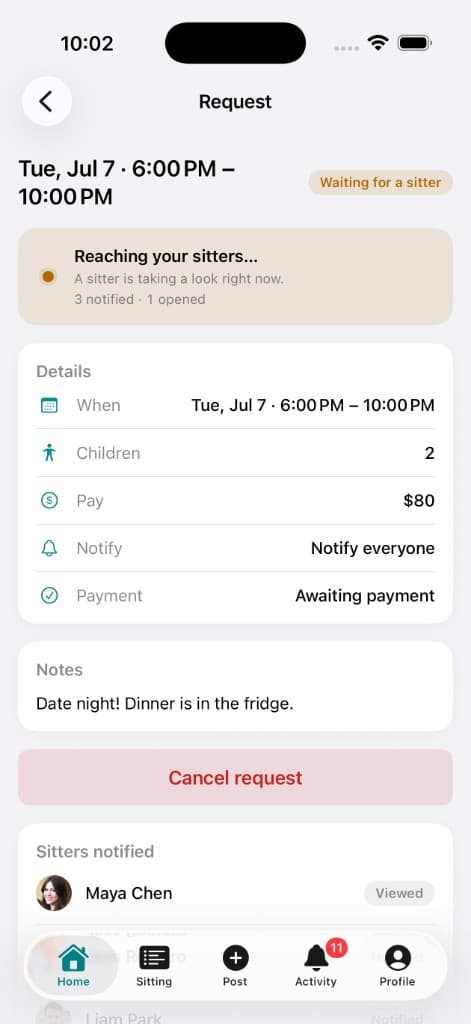
Request status showing waiting and booked jobs
Sitting details and recap experience
How It Works — Sittership